

Why RCS Is the Next Big Thing in Business Messaging
Why RCS Is the Next Big Thing in Business Messaging
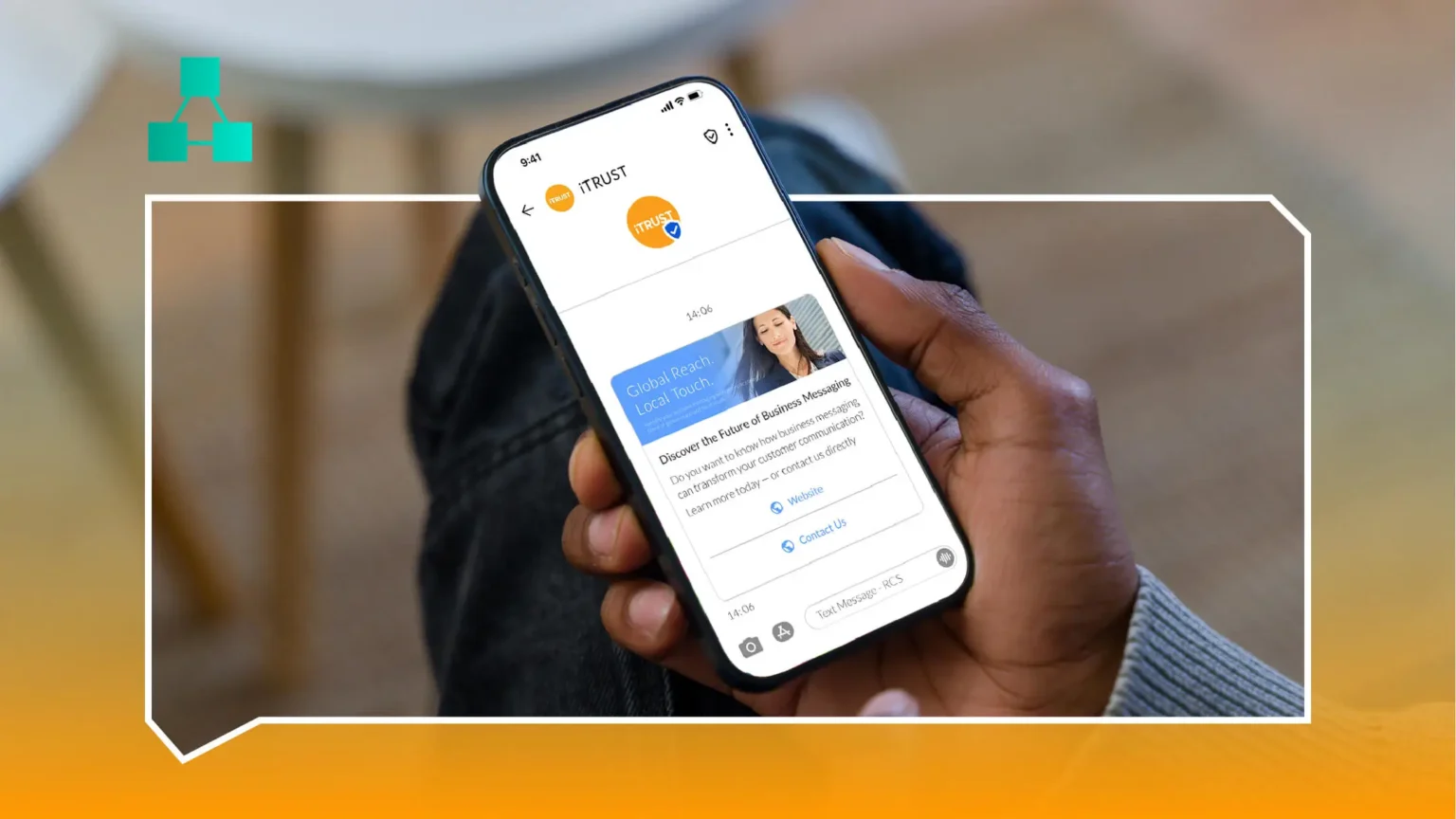
RCS (Rich Communication Services) upgrades plain SMS with a branded sender profile, a verified badge, rich cards, carousels and suggested replies - all inside the native messaging app, with no separate app install required from the customer.
Business RCS messages generally come in three types: basic text messages with branding for simple alerts, single card messages that pair an image, text and action buttons for things like order confirmations, and carousel messages that show multiple cards side by side - ideal for product catalogs or multi-step journeys.
The biggest advantage for businesses is the automatic SMS fallback. If a recipient's device or carrier doesn't support RCS, the message quietly falls back to standard SMS, so campaigns never lose reach while still giving supported devices the richer, more interactive experience.
RCS doesn't replace SMS - it upgrades it, and falls back gracefully whenever a device can't keep up.

For brands already running WhatsApp and SMS, RCS closes the gap for Android users whose carriers support it - delivering interactive, branded experiences without requiring the recipient to have a separate app installed.
The Three Types Of RCS Business Messages Explained
Basic text messages carry branding - a logo, business name and verified badge - on what is otherwise a standard text alert, making them a natural drop-in replacement for plain SMS notifications that don't need rich media.
Single card messages pair one image with text and one or more action buttons - a common format for order confirmations ("Track Order"), appointment reminders ("Confirm" / "Reschedule") or a single promotional offer.
Carousel messages display multiple cards side by side that a recipient can swipe through, suited to product catalogs, multi-item order summaries, or presenting several plans or offers in one message instead of sending several separate ones.
RCS vs WhatsApp: When To Use Which
WhatsApp requires the recipient to have the app installed and have opted in to receiving messages from a business - which the vast majority of Indian smartphone users do, making it the natural first-priority channel. RCS delivers through the phone's default messaging app, with no separate app or install required, which makes it a strong option for reaching customers who haven't installed WhatsApp or haven't opted in there yet.
In practice, the two aren't competitors so much as complements: WhatsApp for two-way conversations with an engaged, opted-in audience, and RCS for reaching a broader base with rich, branded one-way or lightly interactive messages, without asking anyone to install anything new.
Want to see this working for your own business before you read further?
How SMS Fallback Protects Your Reach
RCS support depends on both the recipient's device and their carrier - not every combination supports it yet. Automatic SMS fallback means a campaign built for RCS doesn't lose those recipients; the message is delivered as standard SMS instead, with the rich card, carousel or buttons stripped out but the core information intact.
This is what makes RCS low-risk to adopt: a business isn't choosing between RCS and guaranteed reach - it's getting the richer experience wherever it's supported and the same reliable SMS delivery everywhere else, without running two separate campaigns.
Getting Started With RCS Business Messaging
Adoption typically starts with brand verification - registering your business name, logo and sender details for a verified RCS profile - followed by building out templates for your highest-value use cases: order updates, appointment confirmations or a first promotional carousel. Because SMS fallback runs on the same account, there's no separate infrastructure to stand up before sending the first campaign.
Businesses already running SMS at scale tend to see the fastest wins by converting their highest-volume transactional templates - order confirmations, delivery updates - to RCS first, since that's where the branding and buttons have the most visible impact on customer experience without requiring a new campaign strategy.
Want this running for your own business? Explore our RCS Messaging or talk to our team to get started.
Frequently Asked Questions
Does every phone support RCS?
No, RCS support depends on the recipient's device and carrier. Unsupported combinations automatically receive the message as standard SMS instead, so reach isn't affected.
Is RCS more expensive than SMS?
RCS and SMS run on the same account and platform, and fallback between them is automatic - so adopting RCS doesn't mean managing a separate cost structure or a second vendor.
Can RCS be used for two-way conversations like WhatsApp?
RCS supports quick-reply buttons and suggested actions, but it's generally used for lighter interaction than WhatsApp's full two-way conversation model - it's better suited to branded alerts and campaigns than open-ended support chat.
What's needed to get a verified RCS sender profile?
Your business name, logo and sender details are submitted for RCS Business Messaging verification, similar in spirit to WhatsApp's green-tick process, though handled through a separate verification path.

Ready to unify your business communication?
Most businesses are live on their own branded panel within days, not months - talk to our team today and see how fast you can start sending.
0 Comments
Be the first to leave a comment on this post.
Leave a Comment