

RCS Messaging Service
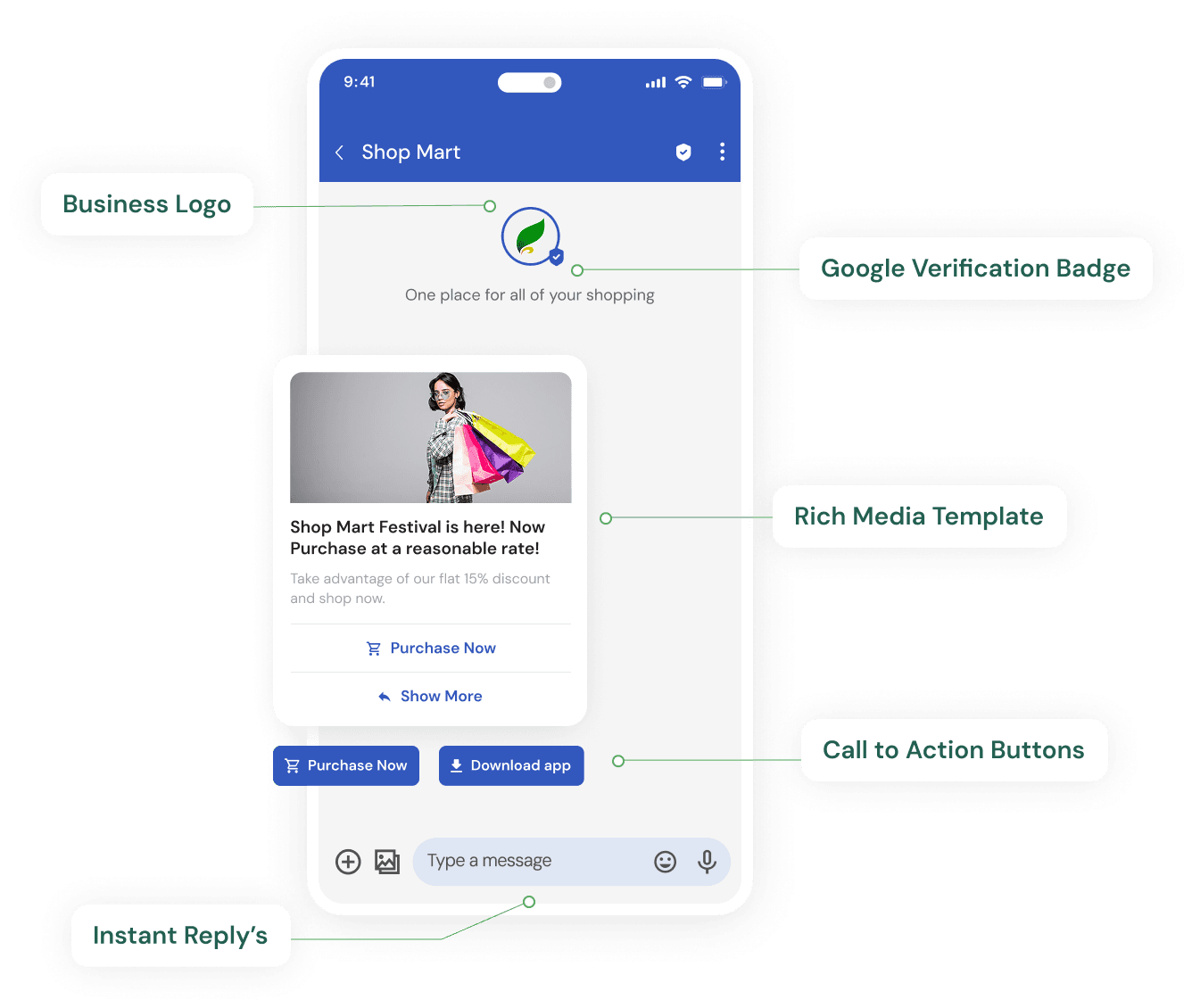
 RCS Messaging
Send Rich, Interactive Messages To The Native Inbox
RCS (Rich Communication Services) upgrades plain SMS into branded, interactive messages with images, carousels, buttons and suggested replies - delivered right inside your customer's default messaging app.
When a device doesn't support RCS, our platform automatically falls back to SMS, so your message always reaches its destination.

Branded sender name & verified badge
Rich cards, carousels & quick-reply buttons
Read receipts & typing indicators
Automatic fallback to SMS

Rich Media Cards
Showcase products, offers and updates with images, buttons and carousels.

Verified Sender Branding
Show your logo, brand name and a verified badge right in the inbox.

Automatic Fallback
Unsupported devices fall back to SMS under the routing rules you configure.
How RCS Messaging Works
Register your brand for RCS
We submit your business name, logo and sender details for RCS Business Messaging verification.
Design rich cards and templates
Build carousels, buttons and quick-reply templates for the campaigns or alerts you plan to send.
Set your SMS fallback rule
Configure how quickly an undelivered RCS message should retry over SMS, so unsupported devices are never left out.
Send and track engagement
Launch campaigns from the dashboard or API and track read receipts, button taps and delivery from one report.
Where RCS Messaging Teams Use It
Promotional Campaigns
Replace plain-text SMS offers with rich cards showing product images, prices and a direct 'Buy Now' button, right inside the customer's default messaging app.
Order & Booking Updates
Send status updates with carousels and quick-reply buttons so customers can confirm, reschedule or track an order without leaving the conversation.
Brand Verification
Show your logo, business name and a verified badge on every message, building the same trust as a WhatsApp green tick, but delivered over the RCS network.
Why Businesses Choose Teleopedia for RCS Messaging
RCS and SMS fallback run on the same account, so you're not managing two vendors to set up fallback.
Same DLT-compliant sending discipline used for SMS, applied to transactional RCS messages too.
Rich cards and carousels reported alongside WhatsApp and SMS in one analytics view, not a separate RCS-only dashboard.
One API covers RCS, WhatsApp, SMS and Voice, so adding RCS to an existing integration doesn't mean a new SDK.
Questions About RCS Messaging Before You Sign Up?
Share your number and our team will get back to you with a straight answer, not a sales pitch.
Frequently Asked Questions
What happens on phones or carriers that don't support RCS?
The message automatically falls back to standard SMS, so delivery is never blocked - you get the rich experience where it's supported and a reliable text everywhere else.
Do I need a separate SMS account to use RCS with fallback?
No, RCS and SMS run on the same platform and route, so fallback happens automatically without you managing two separate sending accounts.
Can I track opens and interactions on RCS messages?
Yes, RCS supports read receipts and typing indicators, and button or carousel interactions are reported back to your dashboard just like clicks on a landing page.
Is RCS suitable for OTPs and transactional alerts too?
Yes, transactional RCS messages work well for OTPs and alerts that benefit from branding and read receipts, with automatic fallback to DLT-compliant SMS if RCS isn't reachable.
Bring your messages to life with RCS
Rich cards, buttons and configurable SMS fallback.
Or talk to our RCS Messaging sales team directly