

WhatsApp Broadcast API for Bulk Business Messaging
A WhatsApp broadcast API lets a business send an approved template message to a large, opted-in contact list programmatically - well beyond the consumer app's 256-contact broadcast list limit. It runs on the same WhatsApp Business API and approved-template system as any other WhatsApp message, applied to a bulk sending use case.
This page covers how WhatsApp broadcasting actually works, how it differs from the free app's broadcast list, opt-in requirements, and personalization - not a separate product, but a specific way of using the same API.
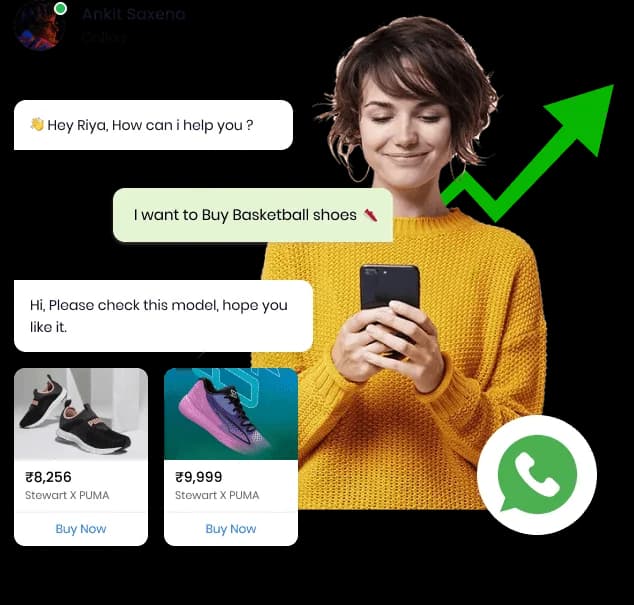
How Does WhatsApp Broadcasting Work?
Your application or campaign tool submits an approved template against a list of opted-in recipients. Each recipient gets the template with their own variable values filled in, and delivery status for each message is reported back individually - so a "broadcast" is really many individually-tracked template sends triggered together, not one message copied blindly to a list.
POST /whatsapp/messages
{
  "to": "+919876543210",
  "type": "template",
  "template_name": "seasonal_offer",
  "params": ["Rohan", "SAVE20"]
}
This is the same request shape used for a single message - a broadcast is this same call issued once per opted-in recipient in your list, with the appropriate variables for each.
WhatsApp Broadcast API vs Business App Broadcast List
| Factor | Business App Broadcast List | Broadcast API |
|---|---|---|
| Recipient limit | 256 saved contacts per broadcast list | No practical contact-list limit |
| Opt-in requirement | Recipient must have your number saved | Explicit opt-in required for marketing templates, tracked in your contact data |
| Personalization | Manual, per-message | Template variables applied automatically per recipient |
| Scheduling | Not supported | Supported, depending on your account setup |
| Delivery tracking | Basic per-chat status | Delivery, read and failed status per message, plus campaign-level reporting |
| Automation | None - sent manually | Triggered from your application or campaign dashboard |
Opt-In Requirements
Meta requires explicit opt-in before a business sends marketing template messages. A broadcast list should only include contacts who have actually opted in - through a website form, an app action, or a prior WhatsApp interaction where consent was captured - not every contact in your CRM by default.
Sending marketing broadcasts to non-opted-in numbers is a policy violation, not just a best-practice miss - it also drives up block/report rates that can pause your templates. Keep opt-in status as a tracked field in your contact data, not an assumption.
Planning A WhatsApp Broadcast Campaign?
Tell us your list size and use case, and we'll walk you through templates, opt-in handling and API access.
WhatsApp Broadcast Use Cases
Product Launches
A single template broadcast to a segmented list, with personalization per recipient.
Re-Engagement Campaigns
Reaching customers who haven't interacted recently, within WhatsApp's opt-in and template rules.
Broadcast Delivery Tracking
Sent, delivered, read and failed counts per campaign are available from your dashboard, the same reporting layer used across every channel - see WhatsApp API Webhooks for how individual delivery events are structured, and SMS Blast API for the equivalent high-volume pattern on SMS.
WhatsApp Broadcast API FAQs
What is a WhatsApp broadcast API?
A WhatsApp broadcast API lets a business send an approved template message to many opted-in contacts at once, programmatically, rather than sending individually or using the consumer app's 256-contact broadcast list limit.
Is WhatsApp broadcasting different from the free Business App broadcast list?
Yes. The Business App's broadcast list only reaches contacts who have your number saved and caps out at 256 recipients per list. The API has no practical list-size limit and works through approved templates rather than requiring the recipient to have saved your number.
Do I need recipient opt-in to send a WhatsApp broadcast?
Yes, Meta requires explicit opt-in before sending marketing template messages - broadcasting only to opted-in numbers is a policy requirement, not optional best practice.
Can I personalize a broadcast message per recipient?
Yes, through template variables - a name, order number or offer code can be inserted per recipient within the structure of an approved template.
Can I schedule a WhatsApp broadcast in advance?
Scheduling support depends on your account setup - confirm current scheduling capability with your account team rather than assuming it's available on every plan.
How is broadcast delivery tracked?
Each message returns a message ID, with delivery, read and failed status reported through your configured webhook and visible in campaign-level reporting on your dashboard.
Is WhatsApp broadcast API the same as SMS Blast API?
No, they're different channels with different rules - WhatsApp broadcasts run on approved templates with Meta's opt-in requirements, while SMS Blast covers high-volume SMS campaigns with DLT-based compliance. See SMS Blast API for the SMS-specific version.
What happens if a broadcast recipient hasn't opted in?
The message shouldn't be sent - opted-in status should be checked before including a contact in a marketing broadcast, since sending without opt-in is a policy violation, not just a deliverability risk.
Can transactional messages be sent the same way as broadcasts?
Technically through the same API, but transactional (Utility) messages don't carry the same opt-in requirement as Marketing broadcasts - see Transactional SMS API for the equivalent transactional-messaging pattern, or WhatsApp Business API for how Utility templates work.
Does a WhatsApp broadcast use the same templates as regular messaging?
Yes, broadcasts use the same DLT-independent, Meta-approved template system covered on WhatsApp Message Templates - there's no separate broadcast-specific template type.
How large can a WhatsApp broadcast list be?
There's no practical Teleopedia-side limit tied to the API itself, though your actual reach depends on list size, opt-in status and Meta's own messaging limits for your account tier.
Can broadcast messages include images or buttons?
Yes, approved templates can include rich media and interactive buttons, the same media types supported across WhatsApp Business API generally.

Ready to unify your business communication?
Most businesses are live on their own branded panel within days, not months - talk to our team today and see how fast you can start sending.