

WhatsApp Business API: Guide for Developers
WhatsApp Business API lets a business send and receive WhatsApp messages programmatically - template notifications, two-way support conversations, marketing broadcasts and media - through a REST API rather than the consumer WhatsApp Business app. It's built for businesses that need to connect messaging to their own systems: a CRM, an order management platform, a support desk or a custom application.
This page covers what WhatsApp Business API is, how it works end to end, how it differs from the WhatsApp Business App, and the practical details a developer needs - authentication, templates, webhooks, delivery status and error handling - alongside the business use cases it's actually used for. If you just need a simple WhatsApp chat button for your website rather than the full API, that's a lighter starting point.
On this page:
What WhatsApp Business API is, and how it differs from the WhatsApp Business App
How templates, webhooks and delivery status work
Authentication, integration flow and error handling for developers
Business use cases by function and by industry, plus FAQs
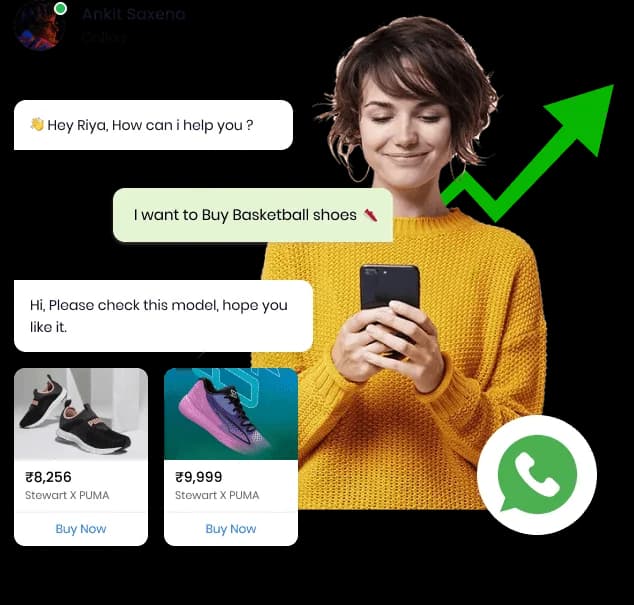
What Is WhatsApp Business API?
WhatsApp Business API is a messaging interface that lets a business send and receive WhatsApp messages through code, at a scale and with an integration depth the consumer WhatsApp Business app doesn't support. Instead of a person typing replies on a phone, an application - a CRM, e-commerce backend or support platform - sends requests to an API and receives delivery and reply events back through webhooks.
It's the layer most businesses use to connect WhatsApp to systems they already run: triggering an order-confirmation message the moment an order is placed, routing an inbound reply into a support queue, or launching a promotional broadcast to a segmented contact list from a campaign tool.
Template messages - pre-approved formats used to start a conversation or send a notification.
Session messages - free-form replies sent within an active conversation window after a customer messages first.
Rich media - images, documents, video, location and interactive buttons or lists.
Webhooks - real-time events for delivery, read receipts and inbound customer replies.
Teleopedia provides WhatsApp Business API through a dashboard for non-technical teams and a REST API and webhook set for developers, on the same account as RCS, SMS and Voice.
WhatsApp Business API vs WhatsApp Business App
Both products come from the same WhatsApp Business platform, but they solve different problems. The app is a free mobile tool for a person to manage chats; the API is an integration layer for a system to send and receive messages at scale. For a fuller side-by-side and a guide to when to switch, see WhatsApp Business app vs API, and for the sign-up steps see how to get the WhatsApp Business API.
| Aspect | WhatsApp Business App | WhatsApp Business API |
|---|---|---|
| Who uses it | Small businesses, single owner-operator | Businesses integrating messaging into their own systems |
| Access | Mobile app, one device pairing | REST API, dashboard, multi-agent access |
| Automation | Basic away messages and quick replies | Template automation, chatbot flows, triggered sends |
| Integration | None - manual, in-app only | Connects to CRM, e-commerce, support and custom apps |
| Sending model | Manual, one conversation at a time | Bulk template sends and event-triggered messages |
| Reporting | Basic chat-level status | Delivery, read and campaign-level analytics via dashboard/API |
A business that sends more than a handful of conversations a day, needs more than one person replying, or wants an order placed on its website to trigger a WhatsApp message automatically, generally needs the API rather than the app.
How WhatsApp Business API Works
At a high level, a message moves through four stages: your application calls the API, the message is delivered through WhatsApp's network to the recipient's device, WhatsApp reports delivery and read status back, and your application receives that status through a webhook.
- 1
Your application sends a request
A template or session message is sent to the API with the recipient number and message content.
- 2
The message is queued and delivered
The API returns a message ID immediately, then the message is routed to the recipient's WhatsApp app.
- 3
Status events fire as the message progresses
Sent, delivered, read and failed events are generated as the message moves through the network.
- 4
Your webhook receives each event
Your application updates its own records, and any customer reply arrives the same way as an inbound message event.
WhatsApp Cloud API. WhatsApp now offers this API in a cloud-hosted model - commonly referred to as the WhatsApp Cloud API - rather than requiring a business to run its own on-premises servers. Teleopedia's platform is built around this model, so a business doesn't provision or maintain any WhatsApp infrastructure itself: template management, sending, and webhook delivery are all handled through the Teleopedia dashboard and API, with no separate server to run.
Business Messaging Use Cases
WhatsApp Business API generally covers four kinds of business messages.
Notifications
Order confirmations, shipping updates and appointment reminders sent as approved template messages.
Customer Support
Two-way conversations for order status, queries and issue resolution, with human handoff when needed.
Marketing Messaging
Opted-in promotional broadcasts with images, buttons and rich media inside the app customers already use.
Authentication
Authentication-category templates for OTPs and login codes, where WhatsApp is configured as a verification channel.
Authentication-category messages depend on your WhatsApp template approval for OTP use; where WhatsApp isn't available or approved for this, OTPs are typically sent over OTP SMS instead.
Templates
Any message that starts a conversation - rather than replying within an existing one - has to use a pre-approved template. A template defines the fixed text and any variable placeholders (like a name or order number) that get filled in at send time. Templates generally fall into three categories:
Utility templates - order confirmations, shipping updates, appointment reminders and account alerts.
Marketing templates - promotional offers and announcements sent to opted-in contacts.
Authentication templates - one-time codes used for login or verification.
Templates are submitted for approval before use, and once approved, the exact wording and variable structure needs to stay consistent with what was submitted - a mismatch generally gets a template rejected on resubmission, the same discipline that applies to DLT-registered SMS templates in India. See WhatsApp Message Templates for the full category breakdown and common rejection reasons, and WhatsApp Broadcast API for sending a template to a large opted-in list.
Webhooks, Delivery & Read Status
A webhook is a URL your application exposes to receive events as they happen, instead of repeatedly polling the API for updates. Configure one webhook endpoint in your dashboard and every WhatsApp event - delivery status, read receipts and inbound replies - is posted to it as it occurs.
Every message moves through a status lifecycle your webhook can track:
Sent
Accepted by WhatsApp and handed off for delivery.
Delivered
Reached the recipient’s device.
Read
Opened by the recipient (subject to their read-receipt setting).
Failed
Could not be delivered - your webhook carries the reason.
A webhook payload for a delivery event looks like this:
{
  "message_id": "wa_9f1c2e",
  "channel": "whatsapp",
  "status": "delivered",
  "timestamp": "2026-08-13T10:42:00Z"
}
Because the same message ID carries through every status event, your application can reconcile the original send with each update it receives, including a status that ends up completing on a fallback channel if one is configured.
Media Messaging
Beyond plain text, WhatsApp Business API supports rich message types that make a conversation more useful than a text thread:
Images & Video
Product photos, offers or explainer clips inside the chat.
Documents
Invoices, receipts and PDFs sent directly as attachments.
Buttons & Lists
Quick-reply buttons and list menus for one-tap responses.
Location
Share or request a location, useful for delivery and pickup flows.
API Authentication & Developer Integration
Every request is authenticated with a bearer token generated from your dashboard, sent in the request header alongside a JSON body describing the message:
POST /v1/whatsapp/messages
Authorization: Bearer YOUR_API_KEY
Content-Type: application/json

{
  "to": "+919876543210",
  "type": "template",
  "template_name": "order_confirmation",
  "params": ["Rohan", "#BL123456", "3-5 Aug"]
}
The response confirms the message was accepted and returns an ID to track it:
{
  "message_id": "wa_9f1c2e",
  "status": "queued",
  "channel": "whatsapp"
}
A typical integration follows these steps:
Create your WhatsApp Business profile
Set up a business profile and connect it to your Teleopedia account through the onboarding flow.
Submit message templates
Draft utility, marketing and authentication templates and submit them for approval before you send your first campaign.
Generate an API key
Create a bearer token from the dashboard to authenticate requests from your application or backend.
Send messages via the REST API or dashboard
Trigger template messages, session replies and media messages from your own systems, or from the campaign builder.
Configure a webhook URL
Point a webhook endpoint at your application to receive delivery, read and inbound-reply events in real time.
Monitor and automate
Track sent, delivered, read and failed status from the dashboard, and layer in chatbot flows or fallback rules as needed.
Error Handling
Not every send completes on the first attempt, and a webhook status of failed generally falls into one of a few common categories. Handling these in your application logic - rather than only logging them - is what makes a WhatsApp integration resilient:
A template that isn't yet approved, or has been edited since approval.
A session message sent outside the active conversation window, where only a template can be used instead.
An invalid or unreachable number, or one that isn't active on WhatsApp.
A recipient who has opted out of, or blocked, messages from your business.
A media file in an unsupported format or over the size limit for its type.
Each failure event carries a reason your application can branch on - for example, triggering a configured fallback to RCS or SMS when a WhatsApp send doesn't complete, rather than the message simply disappearing.
Analytics, Automation & AI Chatbot Integration
Once messaging is live, the practical work shifts from sending to understanding what's happening and reducing manual effort:
Analytics
Sent, delivered, read and failed counts per campaign or template, from one dashboard.
Flow Automation
No-code conversation flows for FAQs, order tracking and lead capture.
AI Chatbot Handoff
Automated replies handle routine queries, then hand off to a human agent when a conversation needs one.
None of this runs in isolation from the rest of a communication stack - the same automation and analytics layer applies across RCS and SMS when they're part of the same account. See AI Chatbot for how the flow builder and human handoff work in depth.
Ready to Connect WhatsApp to Your Systems?
Share your number and we'll walk you through templates, API access and integration.
WhatsApp + RCS + SMS Fallback
WhatsApp reaches customers who have the app installed and have opted in, but that's not every customer, and delivery can't always be assumed. On Teleopedia, a message that doesn't complete on WhatsApp within a configured window can move to RCS or SMS as the next channel in a fallback route you define, rather than the message simply going unanswered.
This is configurable, rule-based routing - not a single automatic behavior applied to every message. See how it works in depth on Omnichannel Messaging Fallback.
WhatsApp Business API by Industry
Integration Architecture
A typical WhatsApp Business API setup sits between your application and WhatsApp's network, with Teleopedia handling the messaging layer in between:
Your App / CRMTeleopedia REST APIWhatsApp NetworkCustomer's Device
Delivery / Read EventTeleopedia WebhookYour Webhook Endpoint
The same architecture extends to RCS, SMS and Voice on the same account - see the full unified API architecture for how channels share one integration.
Frequently Asked Questions About WhatsApp Business API
What is WhatsApp Business API?
WhatsApp Business API lets a business send and receive WhatsApp messages programmatically through a REST API, rather than through the consumer WhatsApp Business app - used to connect messaging to a CRM, e-commerce platform or custom application.
What is the difference between WhatsApp Business API and the WhatsApp Business App?
The app is a free mobile tool for one person to manage chats manually. The API is an integration layer that lets a system send and receive messages at scale, with automation, multiple agents and webhook events.
What is the WhatsApp Cloud API?
WhatsApp Cloud API refers to the cloud-hosted version of WhatsApp Business API, where a business doesn't need to run its own on-premises servers. Teleopedia's platform is built around this model, so sending, templates and webhooks are all managed through the dashboard and API.
What is a WhatsApp template message?
A template message is a pre-approved message format - with fixed text and variable placeholders - used to start a conversation or send a notification like an order update or OTP, submitted for approval before it can be sent.
What is the difference between a template message and a session message?
A template message can start a new conversation and must be pre-approved. A session message is a free-form reply sent within an active conversation window after a customer has messaged first.
How do WhatsApp webhooks work?
A webhook is a URL your application exposes to receive real-time events - delivery status, read receipts and inbound replies - as they happen, instead of polling the API repeatedly for updates.
How is a WhatsApp API request authenticated?
Every request includes a bearer token, generated from your dashboard, in the Authorization header, alongside a JSON body describing the recipient and message content.
What message types does WhatsApp Business API support?
Text, template messages, images, video, documents, location, and interactive buttons or list messages, alongside two-way session conversations.
Why did my WhatsApp message fail to send?
Common reasons include an unapproved or edited template, sending outside the active session window without a template, an invalid or inactive number, a recipient who has opted out, or an unsupported media format - each failure event includes a reason your application can act on.
Can WhatsApp Business API be used for OTPs?
Yes, through authentication-category templates, where WhatsApp is configured as a verification channel. Many businesses use OTP SMS as the primary or fallback channel for time-critical verification instead.
Can WhatsApp messages automatically fall back to another channel?
Yes, when fallback is configured for a given use case, a message that doesn't complete on WhatsApp within your configured window can move to RCS or SMS as the next channel - this is rule-based and configurable, not automatic for every message.
Can I integrate WhatsApp Business API with my own CRM or app?
Yes, the REST API and webhooks let you send and receive WhatsApp messages directly from your existing systems.
Does WhatsApp Business API support AI chatbot automation?
Yes, automated flows can handle routine queries and hand off to a human agent when a conversation needs one, using the same account as your regular messaging.
Is WhatsApp Business API available on the same account as RCS and SMS?
Yes, WhatsApp, RCS, SMS and Voice run on the same Teleopedia account, dashboard and API, so adding a channel doesn't mean a new integration.
How do I track delivery and read status for WhatsApp messages?
Every message returns a message ID, and delivery, read and failed status events for that ID are sent to your configured webhook in real time, and are also visible in the dashboard.

Ready to unify your business communication?
Tell us what you want to send and on which channels, and our team will help you get set up on your own branded panel.