

SMS API
An SMS API is a REST interface that lets a business send and track SMS messages programmatically - bulk promotional campaigns, transactional alerts and OTPs - from its own application, instead of a manual sending panel. It's the integration layer between your systems and the SMS gateway that actually routes messages to mobile networks.
This page covers how an SMS API and gateway work, DLT and sender ID requirements for sending in India, authentication and webhooks for developers, and where SMS fits as a channel in its own right and as fallback for WhatsApp and RCS.
On this page:
What an SMS API is and how the SMS gateway architecture works
Sender ID, DLT registration and templates for sending in India
Authentication, webhooks, delivery reports and error handling for developers
Bulk vs transactional sending, industry use cases, and FAQs
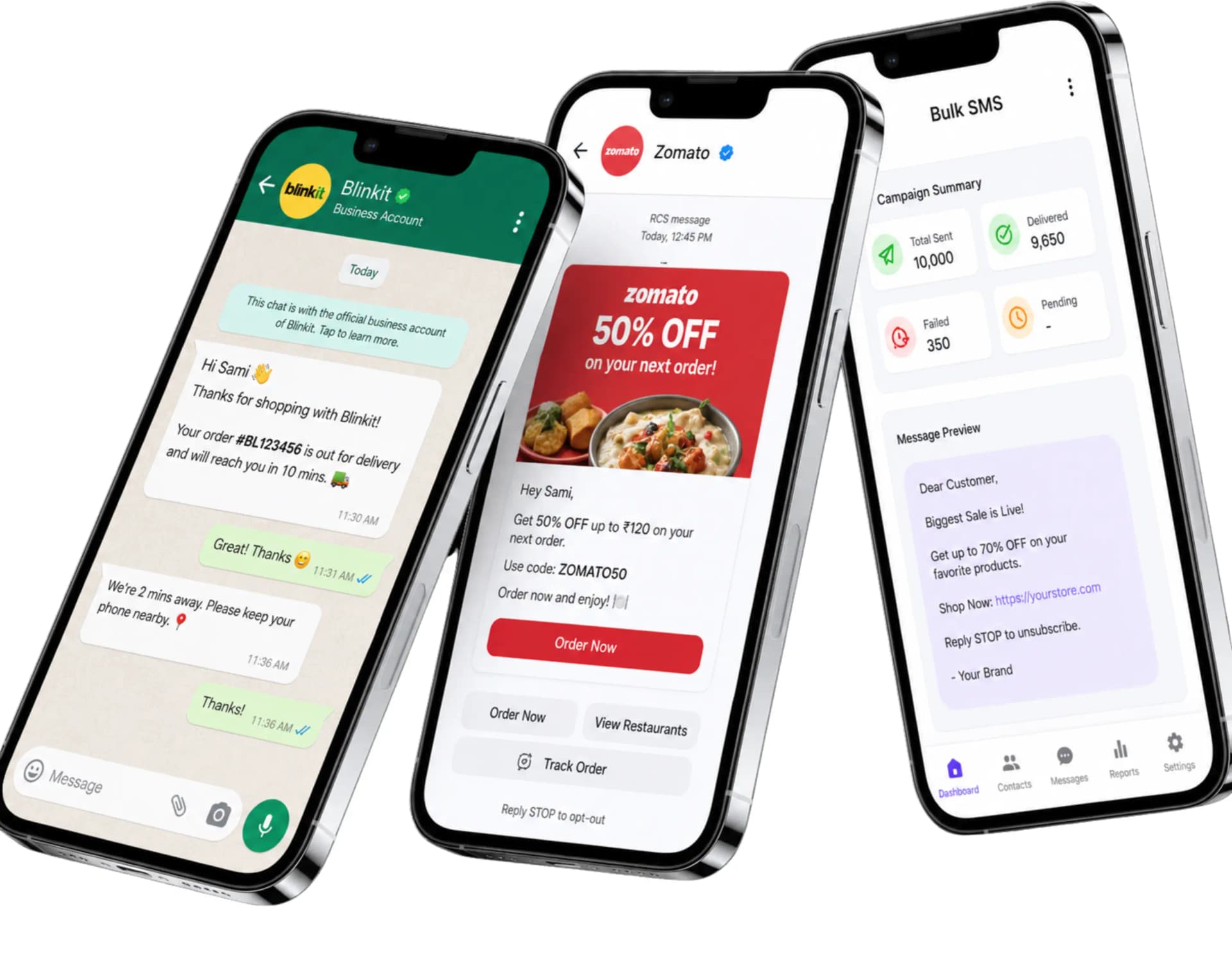
What Is an SMS API?
An SMS API is an endpoint your application calls to send a text message, specifying the recipient number, message content and sender ID. The API accepts the request, queues the message for delivery through an SMS gateway, and returns a message ID you can use to track its status.
It replaces a manual process - logging into a panel and typing out a send - with something your order system, authentication flow or CRM can trigger automatically, at any volume, without a person in the loop for every message.
SMS Gateway Architecture
An SMS gateway is the infrastructure layer that connects your API request to the telecom networks that actually deliver a message to a handset. In simplified form, a message moves through these stages:
Your ApplicationSMS APISMS GatewayTelecom OperatorRecipient Handset
Delivery Receipt (DLR)SMS GatewayYour Webhook
In India, an additional check sits between the gateway and the operator: every template and sender is verified against TRAI's DLT registry before a commercial message is allowed through - covered in detail below.
Sender ID, DLT & Templates for India
A sender ID is the short alphanumeric header (like TLPEDA) a recipient sees instead of a phone number. In India, both the sender ID (called a Header) and every message template need to be registered on TRAI's DLT (Distributed Ledger Technology) platform before they can be used - an unregistered header or a message that doesn't match its approved template gets silently blocked by the operator, regardless of content.
Principal Entity registration - your business registered as the sender of record.
Header registration - your sender ID mapped to that entity.
Content template registration - the exact message format, with variable placeholders, approved in advance.
Teleopedia handles entity, header and template registration as part of onboarding. The full process, and the mistakes that most often get a message blocked, are covered on DLT Compliant CPaaS and this DLT registration guide.
Transactional SMS vs Bulk SMS
The API is the same; the route and rules around it differ depending on what you're sending.
| Aspect | Transactional SMS | Bulk / Promotional SMS |
|---|---|---|
| Typical content | OTPs, order alerts, account notifications | Offers, announcements, campaigns |
| Sending window | Any time, any day | TRAI-permitted hours only |
| Recipient consent | Not required for service messages | Opted-in numbers only |
| Route | Dedicated transactional route | Promotional route |
OTP delivery specifically has its own retry, timeout and security considerations - covered in depth on OTP SMS API.
Authentication & API Integration
Every request carries a bearer token generated from your dashboard. A request to send an SMS includes the recipient, sender ID, DLT template reference and the message itself:
POST /v1/sms/messages
Authorization: Bearer YOUR_API_KEY
Content-Type: application/json

{
  "to": ["+919876543210", "+919812345678"],
  "sender_id": "TLPEDA",
  "dlt_template_id": "1707162XXXXXXXXX",
  "message": "Your order #BL123456 has shipped and will arrive in 3-5 days."
}
The response confirms acceptance and returns an ID for status tracking:
{
  "message_id": "sms_7a21f0",
  "status": "queued",
  "channel": "sms"
}
View API DocumentationDelivery Reports, Webhooks & Message Status
Every SMS moves through a status lifecycle - queued, sent, delivered or failed - reported through the same message ID returned at send time. Configure a webhook URL to receive these events as they happen, or pull them from the dashboard's delivery reports:
{
  "message_id": "sms_7a21f0",
  "channel": "sms",
  "status": "delivered",
  "timestamp": "2026-08-13T10:44:02Z"
}
Delivery reports are also what a fallback route checks when SMS is configured as the destination after a WhatsApp or RCS send doesn't complete - the same status contract applies across channels.
Scheduling & Bulk Sending
Beyond immediate sends, the API and dashboard both support scheduling a campaign for a future time - useful for promotional sends that need to land within TRAI's permitted hours - and submitting a list of recipients in a single bulk request rather than one call per message.
Scheduled Sends
Queue a campaign for a specific date and time instead of sending immediately.
High-Throughput Routes
Bulk requests are built to hold delivery speed during peak-hour sends.
Ready To Integrate The SMS API?
Share your number and we'll help you get your sender ID and templates registered.
Error Handling, Security & Rate Limiting
A failed status generally traces back to one of a small set of causes, and surfacing the reason is what lets your application respond intelligently rather than just retrying blindly:
A message that doesn't match its registered DLT template exactly.
A promotional send outside TRAI's permitted hours.
An invalid, DND-registered, or unreachable number for the route used.
Requests exceeding your account's configured rate limit.
Security
Bearer-token authentication on every request, with keys managed from your dashboard.
Rate Limiting
Default limits apply per plan and channel; higher throughput is available on request.
Developer Workflow
A typical SMS API integration follows the same REST conventions as the rest of the platform - JSON request and response bodies, bearer-token auth, and webhook callbacks instead of polling:
REST API
Send single or bulk messages and manage sender IDs.
JSON Payloads
Structured request and response bodies, no proprietary format.
Webhooks
Delivery and status events pushed to your endpoint in real time.
Reporting API
Pull delivery reports for a campaign or date range programmatically.
SMS as WhatsApp & RCS Fallback
SMS reaches virtually any active mobile number without depending on an app being installed or a rich-messaging feature being supported, which is why it's the most common fallback destination when a WhatsApp or RCS message doesn't complete within a configured window.
WhatsApp → RCS → SMS is a common configured order, but it depends entirely on the fallback rules you set. Full detail on how routing and retry logic works: Omnichannel Messaging Fallback.
SMS API by Industry
High-volume enterprise senders running direct binds can see SMPP Gateway as an alternative to the REST API.
Frequently Asked Questions About the SMS API
What is an SMS API?
An SMS API is a REST endpoint that lets a business send and track SMS messages programmatically from its own application, instead of a manual sending panel, returning a message ID for delivery tracking.
How does an SMS gateway work?
An SMS gateway sits between your API request and the telecom network, routing your message to the recipient's operator and returning delivery receipts back through the same path.
What is a sender ID?
A sender ID is the short alphanumeric header a recipient sees instead of a phone number. In India, it must be registered as a Header on the DLT platform before use.
What is DLT registration for SMS?
DLT (Distributed Ledger Technology) registration is TRAI's mandatory framework requiring every entity, sender ID and message template sending commercial SMS in India to be registered and approved before sending.
What's the difference between transactional and bulk SMS?
Transactional SMS (like OTPs and order alerts) can be sent any time without recipient opt-in, while bulk/promotional SMS only reaches opted-in numbers within TRAI's permitted sending hours.
How do I check SMS delivery status?
Every message returns a message ID; delivery, sent and failed status events for that ID are available through your configured webhook and the dashboard's delivery reports.
What is an SMS webhook?
An SMS webhook is a URL your application exposes to receive delivery status events in real time, instead of repeatedly polling the API to check whether a message was delivered.
Why did my SMS fail to send?
Common causes include a message that doesn't match its registered DLT template, a promotional send outside permitted hours, an invalid or DND-registered number, or exceeding your account's rate limit.
Can I schedule SMS campaigns in advance?
Yes, both the API and dashboard support scheduling a send for a future date and time, which is useful for promotional campaigns that need to land within TRAI's permitted hours.
Can I send SMS in bulk to thousands of numbers at once?
Yes, the API accepts a list of recipients in a single request, and high-throughput routes are built to maintain delivery speed during peak-volume sends.
Is the SMS API secure?
Every request is authenticated with a bearer token generated from your dashboard, and default rate limits apply per plan to prevent abuse.
Can SMS act as a fallback for WhatsApp or RCS?
Yes, SMS is commonly configured as the fallback channel when a WhatsApp or RCS message doesn't complete delivery within a set time window, since it reaches virtually any active number.
Do you provide SMS API documentation?
Yes, request/response examples and endpoint references are available on the API documentation page, alongside your live credentials once you have API access.

Ready to unify your business communication?
Tell us what you want to send and on which channels, and our team will help you get set up on your own branded panel.